
.webp)

If you've tried an AI scribe before and it felt like more work than it saved, the problem usually isn't you. It's that the scribe was never truly built for your EHR.
Many practices looking for an AI scribe for eClinicalWorks (ECW) discover that most AI documentation tools struggle with ECW’s structured template system. They generate notes with their system or interface, outside of ECW and hand you a block of text to copy and paste into the right places in your EHR.
An AI scribe that’s “truly” integrated with ECW, syncs your schedule, maps to your exact template sections, and pushes documentation natively into structure on your EHR, from appointment pull to final note delivery.
That's exactly how Marvix works. It syncs live appointments, retrieves patient history automatically, and generates notes built around your specific ECW template. Documentation flows into the right sections automatically, with no manual placement required.
eClinicalWorks is a template-driven, section-based EHR. Documentation doesn't sit in a single notes field. It lives inside predefined template sections, each mapped to a specific part of the clinical encounter.
An AI scribe for ECW is one that understands that structure and works within it. That means syncing directly with ECW's schedule, retrieving patient history from within the EHR, generating notes built around the provider's specific ECW template, and pushing documentation into the right sections automatically.
In short, a true AI scribe for ECW doesn't just generate notes. It fits into the system your practice already runs on.
ECW has a defined structure, specific template fields, and documentation that must land in the right place. Most AI scribes weren't built with any of that in mind.
Notes arrive as free text blocks that need manual placement into ECW sections. Appointments don't sync directly, so the physician ends up managing two separate systems.
Historical data stays locked inside the EHR, so chart review still falls on the physician. And without proper append logic, pushing a note can overwrite entries that were already there.
Every provider also gets the same generic template, regardless of specialty or documentation style.
Individually, these are friction points. Across a full clinic day, they quietly add up.
If you are evaluating an AI scribe for eClinicalWorks, these are the capabilities that actually matter.
Here’s a brief overview of what differentiates Marvix as one of the best AI scribes for eClinicalWorks.
In this blog, let’s explore how Marvix AI integrates with eClinicalWorks seamlessly and why many practices consider it the best AI scribe for eClinicalWorks.
To see what this looks like in practice, let's walk through a real clinic day.
Meet Dr. Julia Harris, a board-certified neurologist who sees 20 to 22 patients each day. More than half of her schedule consists of follow-ups for chronic migraine, epilepsy, multiple sclerosis, and peripheral neuropathy.
Many of her patients have years of documented medication changes, imaging results, and detailed neurological exams stored in eClinicalWorks. Her clinic runs at a steady pace, but every visit depends on accurate longitudinal context.
Before a doctor can document a visit, Marvix needs to know which visits are happening.
Marvix connects directly with eClinicalWorks (ECW) and pulls your appointment schedule automatically. Think of it as a bridge between your scheduling system and your documentation workflow. The moment appointments exist in ECW, Marvix knows about them.

By default, Marvix syncs with ECW three times a day, without requiring a manual import or refresh.
The sync timing is fully customizable, allowing you to define exact pull times that align with your workflow. Configuration can also be set at the individual provider level, ensuring each clinician operates according to their own schedule.
You can also easily view visits for yesterday, today and tomorrow with the press of a button.
Dr. Harris sees 22 patients on a standard clinic day. When she logs into Marvix at 8:30 AM, all 22 appointments from ECW are already synced, categorized by visit type, and aligned with her live schedule. Her documentation queue mirrors her source calendar without reconciliation. The day begins inside one continuous workflow rather than two separate systems.

Marvix gives you full control over which visits to pull in, so your queue reflects exactly how you want to work.
Marvix detects visit type automatically at the moment of pull. It identifies whether an appointment is a:
If your clinic has built its own visit classifications inside ECW, Marvix recognizes and maps those too, with no additional setup required. Want to see only first visits, or only follow-ups? You set the criteria and only those categories appear in your queue.
Cancelled appointments are handled just as cleanly. Configure Marvix to exclude them automatically, and your queue stays accurate and focused throughout the day.
Her schedule frequently includes 2 to 3 same-day add-ons and occasional reschedules. Marvix reflects those ECW changes automatically based on configured pull intervals at the provider level. When she reviews tomorrow’s 18 booked patients, the view matches ECW in real time. Her schedule stays accurate throughout the day without additional oversight.
Most AI scribes require manual schedule management or ask you to work around the boundaries of your EHR. Marvix is built to adapt to how you already work. Your appointments flow in automatically, filtered the way you want them, organized the way your day actually runs.
Less setup. Less friction. More time for your patients.
Marvix pulls the patient history directly from eClinicalWorks and converts it into a useful section in the note, before the consult even begins.

Marvix retrieves up to three years of previous patient notes from ECW automatically. You define the date range, and Marvix does the rest. This follows ECW's native date range format, so everything works within the system your practice already uses.
By default, notes are pulled up to three days before the current encounter. If your workflow calls for more recent data, that can be adjusted all the way to today or the day the physician would prefer. The goal is to give the doctor the most clinically relevant picture of your patient before you see them.
All retrieved notes are extracted in a structured format, so historical data is processed consistently every time. And because retrieval happens automatically ahead of scheduled visits, the context you need is already waiting for you when you open the encounter.
Marvix reads and processes a wide range of clinical content formats in structured and unstructured formats. Learn more about what content formats Marvix can read and process from your EHR.
Her 10:20 AM epilepsy follow-up includes medication titrations documented across 11 prior ECW encounters. Marvix has retrieved up to three years of those notes using ECW’s native date logic and prepared them in structured format before the visit starts. She reviews trend-relevant data immediately, allowing clinical reasoning to begin earlier in the encounter.
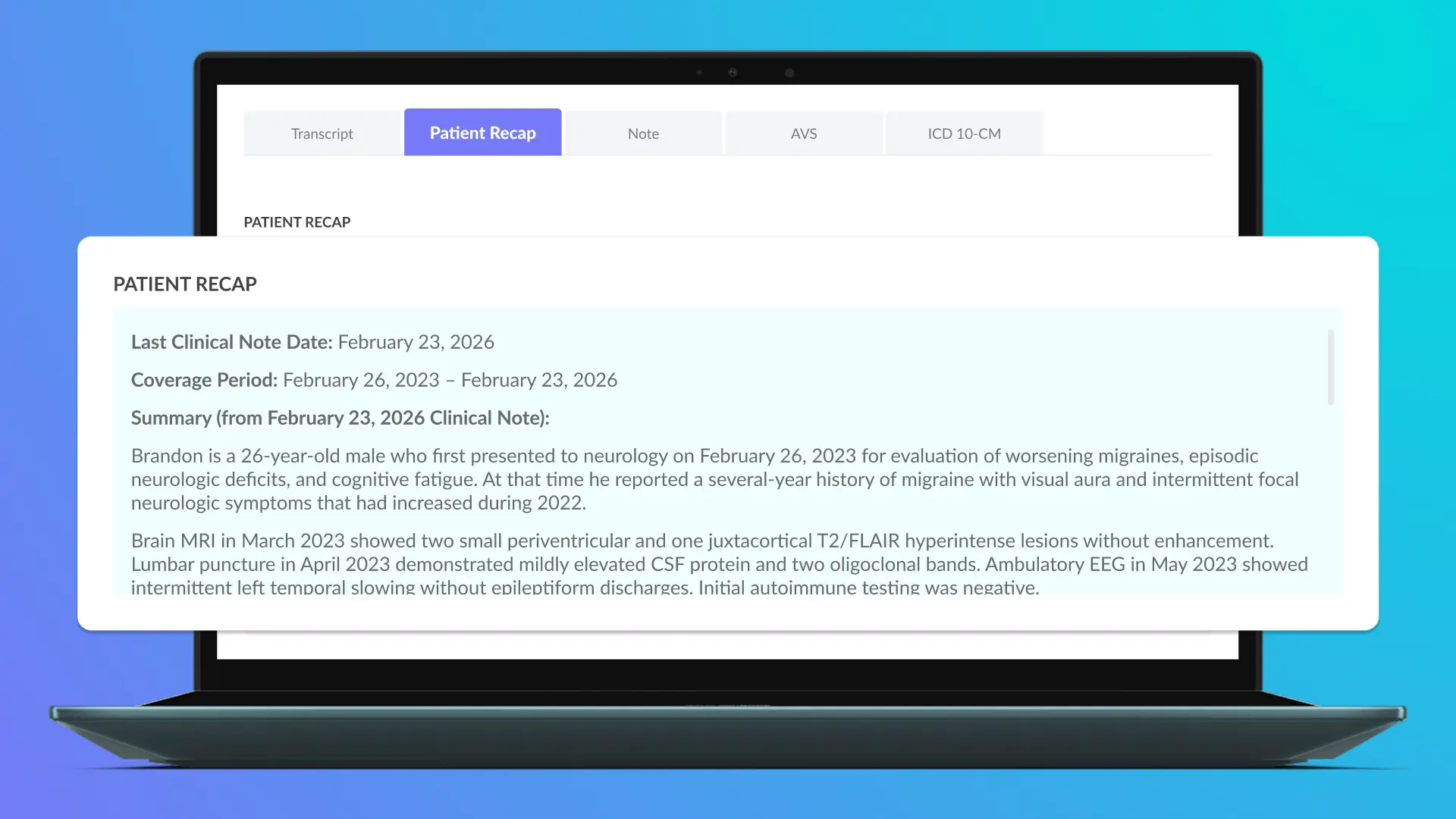
Reading through years of patient notes before every visit is time-consuming. Marvix solves this with AI-generated summaries that consolidate a returning patient's prior notes into a single, structured clinical overview that can:
Summaries are generated automatically ahead of the scheduled visit, so the clinical overview is ready before the patient even arrives. What used to take several minutes of manual chart review now takes a single click.
Marvix AI is the only AI scribe that creates AI summaries directly from prior data stored in the EHR, without any manual chart review or additional input from the provider. Learn more about how Marvix's AI Summarizer works.
For migraine patients with 8 to 10 historical visits, Marvix has generated a structured longitudinal summary directly from ECW-stored documentation. Seizure frequency trends, medication adjustments, and imaging references are consolidated before she enters the exam room. The summary also informs the current note, reducing the effort required to construct multi-year narratives.
Every provider works differently, and Marvix is built to reflect that. Summaries are fully customizable at the individual provider level. Each provider can configure:
These preferences are set up by the team, so the physician doesn’t need to do it manually. Once set up, these preferences apply automatically every time a summary is generated.
Dr. Harris prefers concise bullet summaries with standardized neurological exam defaults and selective history inclusion. Those configurations are applied automatically to every ECW-derived summary at the provider level. Each note reflects her established documentation style across all 22 encounters, creating consistency without incremental edits.
Marvix lets each provider decide exactly where historical context appears within the clinical note. It can go into a specific section, several sections, or across the entire note, depending on what works best for your documentation style.
The result is a note that already reflects the patient's history in the right places, so you spend your time on the patient in front of you rather than hunting through legacy records.
Longitudinal migraine frequency data populates directly into the HPI field of her ECW-mapped template, while MRI impressions appear under Labs and Imaging. Content is inserted at the section level rather than as consolidated free text. The note structure aligns with her existing ECW layout, allowing her to review and sign efficiently.
Chart review is one of the biggest hidden time costs in a clinical day. Marvix brings three years of patient history to the surface automatically, summarizes it intelligently, and places it exactly where you need it in your note. That is what it looks like when an AI scribe is genuinely built around how physicians work.
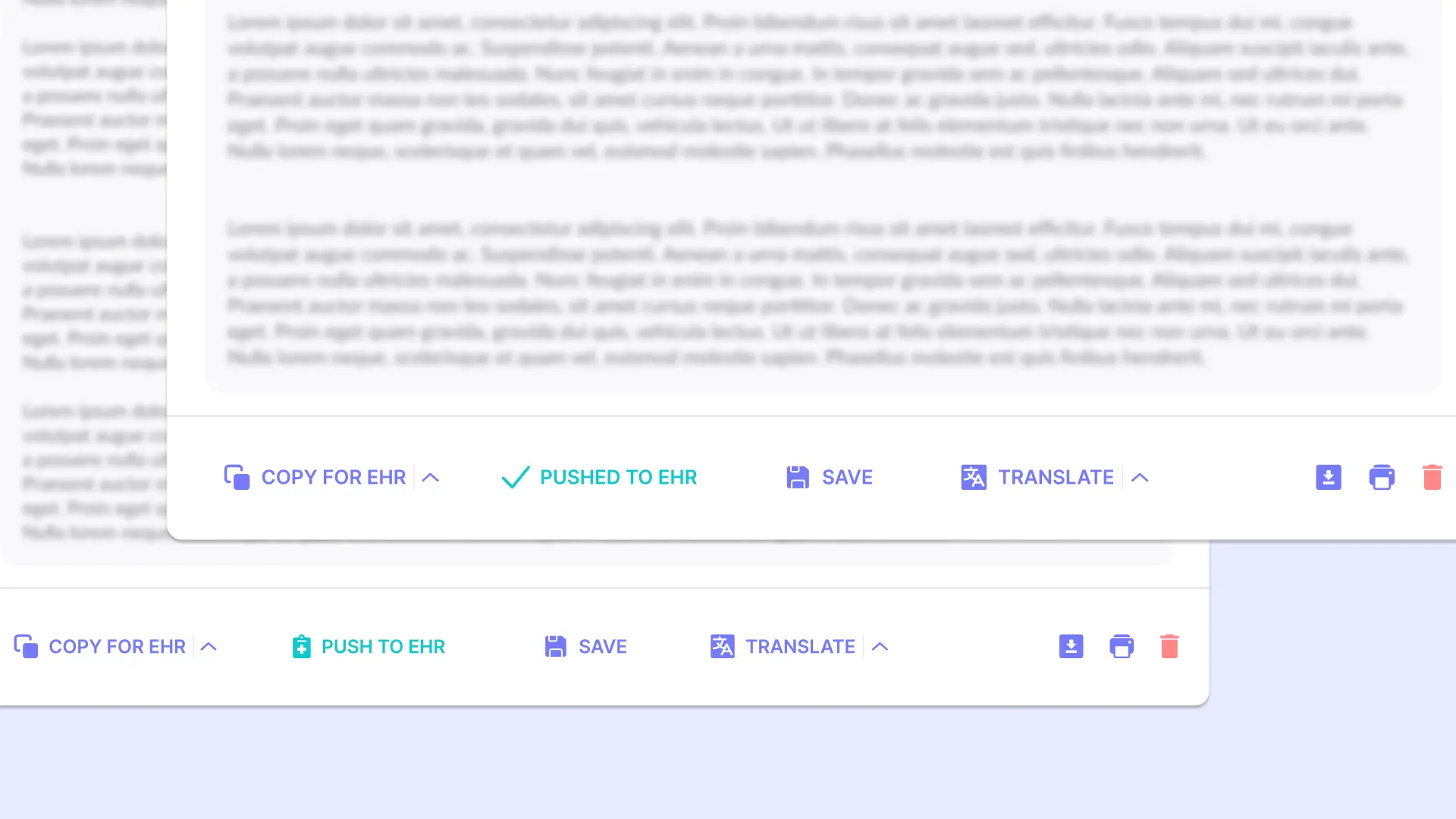
Getting a note written is only half the job. The other half is making sure it lands correctly inside your EHR. This is where a lot of AI scribes fall short and this is where eClinicalWorks integration determines whether documentation truly fits the system.
ECW requires documentation to sit inside specific, predefined template sections and Marvix is built to handle exactly that.
Every ECW template has its own structure. Marvix maps directly to it.
Marvix builds a custom note template for every provider in your practice, designed around how that specific provider documents. This template is then mapped to their corresponding ECW sections, so when a note is pushed, it arrives already placed in the right fields, structured exactly the way ECW expects it.
The result is a note that feels completely native inside ECW, because it is.
Her neurological template in ECW includes discrete fields for HPI, ROS, Neuro Exam, Assessment, and Plan. Marvix maps each generated section directly into its corresponding ECW field across her 22-visit clinic day. Documentation arrives structurally aligned with her template, preserving the integrity of her established chart architecture.

Here's where Marvix excels other generic AI scribes
Because each provider has their own custom template, the mapping between Marvix and ECW can be configured to reflect exactly how that provider organizes their notes. Marvix supports this through many-to-many mapping, which means:
Here's a real example. ECW has two default fields: Assessment and Treatments. Some doctors want both of those concepts to live together inside the Assessment field. Others want them kept separate. Marvix handles both configurations cleanly, with no need to redesign your template or compromise on how you prefer to document.
Your workflow stays yours. Marvix adapts to it.
For complex MS management, she integrates Treatments within the Assessment section. Marvix supports that configuration through many-to-many mapping without altering her ECW template structure. Her documentation hierarchy remains clinically organized according to her preference, ensuring continuity in how she evaluates and documents care plans.
When Marvix pushes same-day documentation into ECW, it always appends. Every entry already in the chart stays exactly where it is, and your chart integrity remains intact throughout the day. Overwriting is only triggered when the physician specifically chooses to.
For busy practices seeing high patient volumes, this is the kind of safeguard that matters more than it might initially seem.
During a 22-patient day, she may enter preliminary documentation directly into ECW between encounters. When Marvix pushes the finalized note, it appends at the section level unless she elects to overwrite. Existing entries remain intact within the chart, preserving data continuity while allowing documentation to evolve throughout the clinic session.
Most AI scribes give every doctor the same generic template and ask them to adjust their documentation habits accordingly. Marvix flips that entirely. Every provider gets a custom note template built around how they work, mapped precisely to their ECW sections, with the flexibility to handle any configuration they prefer. Your documentation lands correctly every single time, in every provider's preferred format, without anyone having to clean it up afterward.
Marvix does more than generating notes such as:
To see how this extends across specialties, learn more about how Marvix supports specialty-specific workflows.
Also, Marvix adheres to industry-standard security and privacy controls, is SOC 2 Type II and HIPAA compliant, uses encrypted storage and transit, offers configurable data retention, and does not use customer PHI to train shared models.
If you're evaluating the best AI scribe for eClinicalWorks, understanding how the tool interacts with ECW templates and workflows is critical. Marvix handles the structure, the sync, the summaries, and the note delivery so that by the time you walk into the room, the only thing left to do is care for your patient.
But reading about it only tells part of the story though. The real proof is watching your own appointments sync, your own templates populate, and your own notes land exactly where they belong inside ECW.
If you've been skeptical about AI scribes before, that skepticism is well earned. But Marvix is built by people who understood that problem first, and designed around it. The result is an AI Scribe for ECW that works the way you work, inside the system you already use, every single day.
If you're looking for a specialty-specific AI scribe for ECW, book Marvix's customized demo to see how it works in your practice, since day 1 (even during your trial.)
.png)


